


Clubhouse
4.54.19K Reviews
App Specs
- Version
- 26.08.20
- Updated On
- License
- Free
- Downloads
- 10,000,000+
- Developer
- Alpha Exploration Co.
- Categories
- Social
- Platform
- Android, iOS
Screenshots


 Analysis by AppCompare
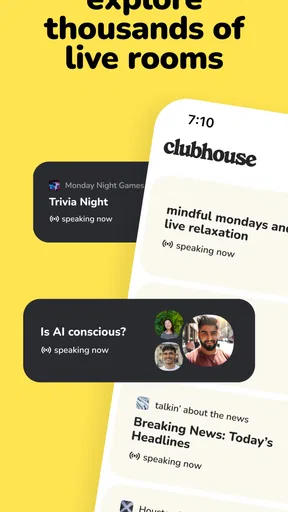
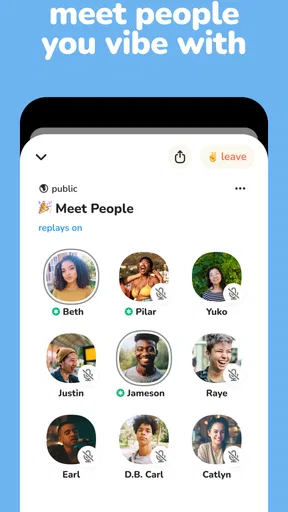
I approached Clubhouse as a social app for conversation rather than another feed to scroll through. Its central idea is simple: people gather in live voice rooms, listen to a discussion, and sometimes join in. That makes it feel closer to dropping into a group call or a casual audio meetup than posting a carefully edited update.
In my experience, that difference matters most when I want company without the pressure of being on camera. I can listen while making dinner, take part in a focused discussion, or move between rooms when my attention changes. The format is immediate, but it also asks for more patience than text-based social networks because the useful part is often buried inside an ongoing conversation rather than presented in a neat, searchable post.
Clubhouse is free to download and is developed by Alpha Exploration Co. It belongs to the social category, carries a Teen content rating, and runs on devices using Android 8.0 or later. The current version is 26.08.18. Its average rating is 4.5 from around 592 thousand ratings, and the app has passed 10 million installs, so it is no longer an experimental niche tool.
How Clubhouse fits into a shared household
When I think about Clubhouse in a shared household, I find it works best as an individual listening and conversation space, not as a communal account or a place to manage family plans. The useful next question is how each person can make the app feel personal while keeping device use, audio, and privacy considerate for everyone at home.
A useful second screen for real conversation
The most convincing household use case I found was not everyone sitting together and using one account. It was each person using the app independently while still sharing the same home environment. One person might follow a conversation about a hobby, another might listen to a professional discussion, and someone else might use the app to meet people around a personal interest. The audio format makes those activities possible without taking over the television or demanding a camera-ready room.
That convenience has a limit: live voice rooms are not silent background media. A speaker, earphones, or a quiet listening space can make the difference between a pleasant session and an irritating one for everyone nearby. In a shared home, I would treat Clubhouse more like a call than like music. Before joining a room, I would check whether the phone is connected to headphones and whether other people are comfortable hearing the conversation.
A realistic example is a weekday evening when one household member is preparing food and wants to listen to a room about a favorite subject. They can follow along without stopping the task, but they should avoid assuming that listening means being completely unavailable. A live discussion can change direction quickly, and joining the speaking side requires attention. If another person needs help or the room becomes noisy, leaving is usually the more considerate choice.
Worth Reading Before You Choose

EA SPORTS FC Mobile 26 Is a Bigger Football Game, but It Takes Time

Flipboard Shows What News Apps Must Do Beyond the Feed

Switching to Android Auto Means Rethinking Your Driving Routine

Google Calendar Makes a Crowded Week Easier to Manage

Ludo King Makes the Most of the Minutes Between Plans

Baby Panda World Brings Quick Play to Modern Phones, but Its Game Library Feels Busy
This is also where Clubhouse differs from ordinary social feeds. A feed lets each person consume content at a chosen pace. A voice room has a shared rhythm, and missing a few minutes may mean missing the point of a story or argument. I like that sense of presence, but it makes the app less suitable for people who want everything summarized or available whenever they have time.
Separate accounts are more important than a shared phone
For household use, I would keep account boundaries clear from the beginning. A shared device does not need to become a shared identity. Each person should use their own account and make sure they know which profile is active before following people, entering rooms, or speaking. That small habit avoids the confusion of one person’s activity appearing to belong to another.
I would also avoid treating a family tablet or a communal phone as a permanent Clubhouse station. Voice-based social apps are personal by nature: the suggestions, conversations, and contacts that suit one household member may be irrelevant or uncomfortable for another. A private account on an individual device gives everyone more control over when they participate and what they hear.
The setup itself is not difficult, but the important work happens after installation. I recommend spending a few minutes deciding what each user wants from the app. Someone looking for relaxed conversation should not approach it in the same way as someone trying to learn from subject-focused rooms. That expectation shapes which people and discussions feel useful instead of making the first session seem random.
On a shared device, I would make three practical checks before handing it to another person:
- Confirm that the correct account is open.
- Check the audio output before entering a live room.
- Leave the room and return to the appropriate account when finished.
These are simple steps, but they matter more here than in a typical photo or messaging app. Clubhouse is built around live participation, so an accidental tap can place someone in the wrong conversation at an awkward moment. The app is easier to enjoy when the household treats account switching and audio control as normal routines rather than afterthoughts.
Coordination works best when expectations are explicit
Clubhouse can help people coordinate socially, but it is not the same as a household planner or a private family chat. I would not use it as the only place to agree on dinner, school arrangements, errands, or anything that needs a reliable written record. Voice rooms are better for spontaneous connection and public discussion than for preserving precise instructions.
That distinction is especially useful when several people in a home want to use the app at the same time. Agreeing on headphones, quiet periods, and device availability prevents small conflicts. If one person is listening to a room while another needs the phone for a call, the problem is not the social feature itself; it is the lack of a clear household rule about shared equipment.
I also found that timing changes the experience. Entering a room at the start can make it easier to understand the topic and the speaking order. Dropping in halfway through is more convenient, but it may take a while to work out who is talking and what has already been covered. For a household member who dislikes social uncertainty, that learning curve can make the app feel less welcoming than a conventional group chat.
My practical approach is to use Clubhouse for discovery and conversation, then move important details elsewhere. If a discussion leads to a plan, I would write the final time, place, or responsibility in a normal message or calendar. That workflow respects what the app does well without asking a live audio room to behave like a task-management tool.
Listening and speaking require different levels of confidence
One of Clubhouse’s strengths is that it can be used passively. A new user does not have to speak immediately. Listening first gives a better feel for the room’s pace, the kind of contributions that are welcomed, and whether the topic is worth staying for. I would recommend this to anyone who feels nervous about joining a live social space.
Speaking is a different experience. It demands awareness of interruptions, background noise, and the fact that other people cannot see facial expressions or gestures. A short, clear contribution usually works better than trying to fill silence. In a household, this means choosing a quiet corner before asking to participate. Kitchen noise, television audio, and other conversations can make even a good point difficult to follow.
The trade-off is that voice can feel warmer than text. Tone and timing communicate things that a typed message often loses, and a thoughtful room can create a genuine sense of being present with other people. At the same time, audio leaves less room to edit. I would not recommend entering a sensitive discussion while distracted, angry, or surrounded by people who may be overheard.
Age context and trust should guide household use
The Teen content rating is an important part of the decision for families. It does not mean every conversation will suit every teenager, and it certainly does not make the app a children’s entertainment platform. I would discuss the difference between a public live conversation and a private family space before allowing a younger household member to use it regularly.
Trust matters because social audio depends on judgment. A teenager should understand that the person speaking may be a stranger, that a lively conversation can still contain opinions they do not share, and that being invited into a discussion does not automatically make the invitation safe or worthwhile. I would encourage them to leave any room that feels uncomfortable rather than staying out of politeness.
For parents or guardians, the most useful role is conversation rather than pretending the app can replace supervision. Ask what kinds of rooms the young person enjoys, whether they mostly listen or speak, and what they do when a discussion becomes unpleasant. Those questions reveal more than simply checking how long the app was open.
I would also set a clear boundary around personal information. A live voice setting can feel informal, especially when several people are laughing and responding quickly. That atmosphere can encourage oversharing. Household members should avoid giving strangers details about their address, school, daily routine, travel plans, or other information that does not belong in a public conversation.
The app is free, but it includes in-app purchases ranging from $0.49 to $499.99 per item. That makes account separation relevant for another reason: the person using the device should understand that free installation does not necessarily mean every optional transaction is free. I would review purchase expectations with any teenager using a family-owned device and keep payment decisions with the adult responsible for them.
Where Clubhouse is stronger than familiar alternatives
Compared with a standard messaging app, Clubhouse is better for meeting a conversation already in progress. I do not need to compose an opening message or wait for a group to answer before hearing something useful. That immediacy is its clearest advantage, especially when I want to explore an interest without first building a contact list.
Compared with video meeting tools, it is less demanding socially. I can participate without arranging lighting, framing a camera, or showing my room. That makes it attractive for casual household use and for listeners who want human interaction but do not want the performance of appearing on screen.
Compared with podcasts, the app is more interactive but less predictable. A podcast gives me editing, consistent production, and control over when I pause. Clubhouse gives me live reactions and the possibility of joining the discussion, but the quality depends heavily on the room and the people in it. If I want a polished lesson or a dependable explanation, a podcast or recorded course may be a better choice.
Compared with a text-based community, Clubhouse can create a stronger feeling of connection, yet it is harder to skim. Text is usually better when I need to search, quote, compare answers, or return to a specific instruction. Clubhouse is better when the value comes from tone, exchange, and spontaneous follow-up.
Small habits that improve the experience
My first recommendation is to listen before judging the whole app. One uninteresting room can make the service seem empty, while another can show exactly why live audio works. I would give myself enough time to sample different conversations, then decide whether the format fits my habits.
Second, use a room’s subject as a filter rather than assuming every discussion deserves attention. The app can be tempting to browse endlessly because entering a room is easy. A simple question helps: am I here to learn, meet people, relax, or contribute? If the answer is unclear after a few minutes, leaving is a better use of time than waiting for the room to become interesting.
Third, protect the boundary between household conversation and public conversation. Do not discuss private family matters in a room just because the atmosphere feels friendly. This is a non-obvious weakness of voice communities: the absence of a visible audience can make the audience feel smaller than it really is.
Finally, remember that silence is a valid way to use the app. Some people assume a social service requires constant posting or speaking. In Clubhouse, listening can be the whole point. That makes it suitable for a quieter person, provided they are comfortable with live content that may not be perfectly organized.
Who should choose it, and who should skip it
I would recommend Clubhouse to someone who enjoys conversation, wants to discover communities around interests, and prefers voice to video. It is also a good fit for a household where people can respect headphones, private accounts, and different schedules. The app has enough reach to make finding active social spaces realistic, while its live format keeps interactions more personal than a passive feed.
I would be more cautious if the main goal is private family coordination, searchable advice, or carefully controlled content for children. A messaging app, calendar, or moderated community may be more appropriate in those situations. I would also skip Clubhouse if I strongly dislike unplanned conversations, background noise, or content that unfolds at its own pace.
People with limited time should understand the opportunity cost. A room may be enjoyable, but it can also absorb attention without leaving a useful record. I would use it during flexible moments rather than when I need to complete a task quickly. That single change makes the app feel like a deliberate social activity instead of an endless interruption.
My household verdict
Clubhouse works best when everyone understands what it is: a live social audio space, not a private family channel, not a podcast library, and not a household organizer. I like its ability to make conversation available without cameras, and I appreciate that listening can be as valuable as speaking. For the right user, it offers a more human alternative to scrolling through disconnected posts.
My reservations are equally practical. Live rooms can be uneven, audio requires consideration in shared spaces, and the social setting calls for good judgment about strangers and personal information. The Teen rating means families should discuss expectations rather than handing the app over without context. Separate accounts and clear device rules are essential when several people share phones or tablets.
At no purchase cost to install, Clubhouse is easy to try, but I would approach it with a specific purpose. Use it to explore conversations, listen while you have flexible time, or join a community that genuinely interests you. Keep important household plans in a written tool, protect private information, and leave rooms that do not feel right. With those boundaries, I see it as a worthwhile social option for adults and appropriately guided teenagers, but not as a universal replacement for messaging, podcasts, or family organization.
Pros
- Live audio conversations feel more natural than text-based discussions.
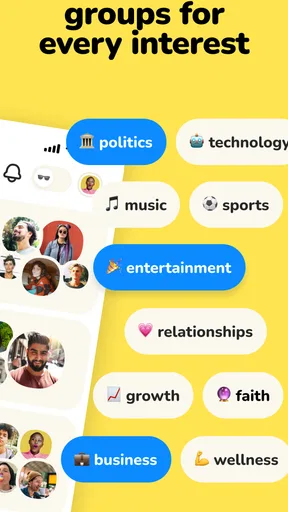
- Users can follow specific interests
- clubs
- and speakers for a tailored feed.
- Raising your hand makes it easy to join a conversation when invited.
- The app offers opportunities to network with experts and public figures.
- Rooms can provide quick
- informal access to opinions and community advice.
Cons
- Popular rooms may fill up quickly
- leaving limited chances to speak.
- Conversation quality depends heavily on the moderators and participants.
- Some discussions can become repetitive or lack useful
- verified information.
- The app can be distracting when several live rooms are active at once.
- Users may feel uncomfortable speaking publicly or being recorded by others.
FAQs for Clubhouse
What is Clubhouse and how does it work?
Clubhouse is an audio-based social networking app where people join live conversations in virtual rooms. Users can listen to discussions, raise their hand to speak, or create their own rooms and clubs around specific interests. Unlike traditional social networks, the main interaction is voice rather than text, photos, or video, although profiles and messaging features may also be available.
Is Clubhouse free to download and use?
Yes, Clubhouse is generally free to download and use on supported Android and iOS devices. You can browse rooms, follow users, participate in conversations, and create discussions without paying a subscription fee. However, mobile data charges may apply when using the app away from Wi-Fi. Some creators or communities may introduce optional paid experiences or other features in the future.
Do I need an invitation to join Clubhouse?
Clubhouse originally became known for its invitation-only registration system, but access requirements have changed as the platform has developed. In many cases, new users can sign up directly using a phone number or another supported login method. Availability and onboarding rules may vary by region, device, or current app policy, so checking the latest version is recommended before registering.
Can I use Clubhouse without speaking or showing my face?
Yes. Clubhouse is primarily focused on live audio, so you do not need to appear on camera or share video while participating. You can enter rooms as a listener, mute your microphone, and leave whenever you want. Your profile may still include a photo, name, and biography, but you can choose how much personal information to display publicly.
Is Clubhouse safe and private to use?
Clubhouse includes tools such as blocking, reporting, room moderation, and controls for managing interactions, but users should still be careful because conversations are live and may involve strangers. Avoid sharing sensitive personal information, financial details, or private contact data. Room hosts and moderators can manage discussions, although the quality and safety of each room may differ depending on its participants.


